iCal Sync Explained: Stop the Double-Booking Nightmare in One Afternoon
A non-technical walkthrough of iCal sync between Airbnb, Booking.com, and your direct site — with the exact taps to set it up and the failure modes to avoid.
iCal Sync Explained: Stop the Double-Booking Nightmare in One Afternoon
TL;DR — iCal is how Airbnb, Booking.com, and your direct site tell each other "this date is booked" without anyone manually updating three calendars. One afternoon of setup eliminates 90% of double-bookings. The remaining 10% needs a real channel manager — but get the iCal foundation right first.
Why this matters
The single most dreaded moment in a host's week is the WhatsApp message that starts: "Hi, I just got a call from another guest who says they also booked the villa for tonight."
Double-bookings happen because most new hosts list on three places — Airbnb, Booking.com, and a Linktree or basic website — and update each calendar manually. By the time you've blocked the dates on Booking.com after an Airbnb booking, someone has already booked the same nights on Booking.com. You now have to cancel one, refund one, and lose the trust of one human at minimum.
iCal sync fixes 90% of this. It is not glamorous, it is not a sales pitch on any platform, and it is the single highest-leverage afternoon a multi-channel host can spend.
90%of double-bookings prevented 60–180 mintypical sync refresh
0ongoing maintenanceWhat iCal actually is, in plain English
Stripped of jargon, iCal is a tiny text file that lives on a public URL. The file says: "On these dates, this property is unavailable." That's it.
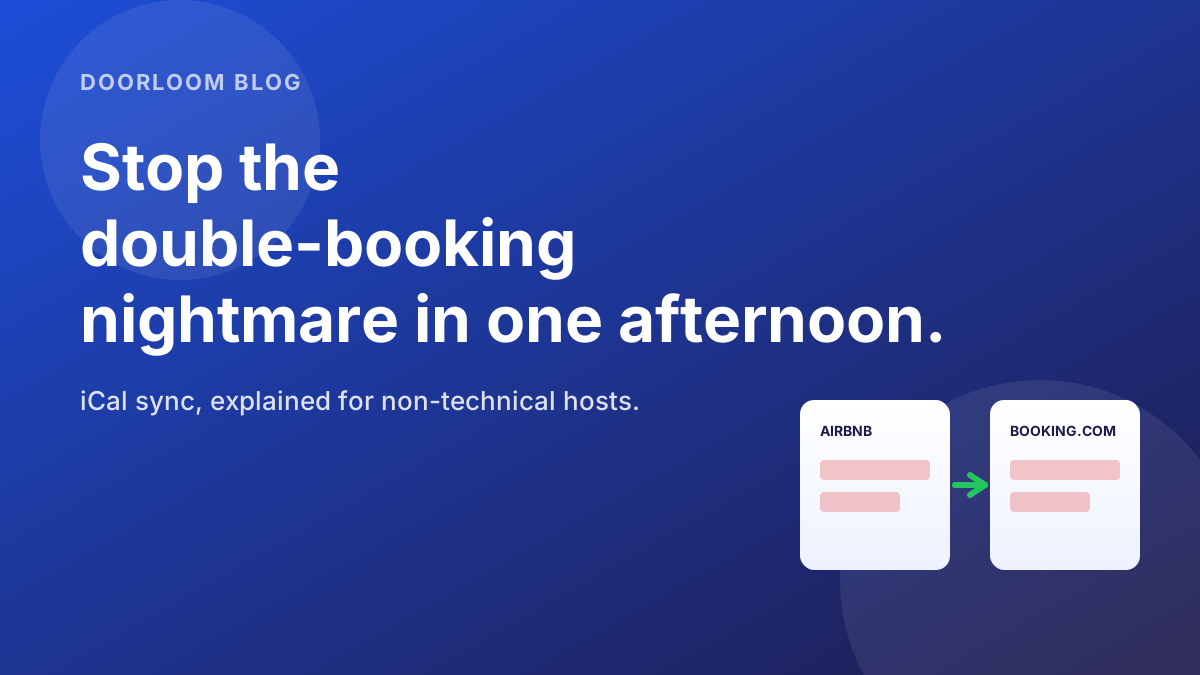
Every booking platform — Airbnb, Booking.com, Vrbo, your direct website — produces one of these files for each listing, and accepts one of these files from each other listing. When platform A imports platform B's file, A learns which dates B has booked and blocks them automatically.
The result, when you set it up right: a guest who tries to book 13–15 May on Booking.com will see those dates greyed out if a guest booked them on Airbnb 90 minutes ago.
The 90-minute caveat
Sync isn't instant. Airbnb refreshes about every hour; Booking.com closer to every 2 hours. The window between a booking landing on one platform and being blocked on another is the dangerous zone for same-day, last-minute bookings. Plan for it (we'll cover how below).
The setup — three pairs, six URLs
For a host on Airbnb + Booking.com + a direct site, you'll set up three two-way connections (six total imports). The pattern is the same in every direction: copy the export URL from one platform, paste it into the import field of another.
- 1
Get the export URL from Airbnb
Open Airbnb host dashboard → Calendar → choose your listing → Availability → Sync calendars → Export calendar. Copy the URL — it ends in.ics. Save it in a notes app for the next step. Don't share this URL publicly — it lets anyone with it see your booked dates. - 2
Import that URL into Booking.com
Open Booking.com extranet → Calendar & pricing → Sync calendars → Import calendar. Paste the Airbnb URL. Name it "Airbnb" so you can identify it later. Save. Booking.com will import the file once and then re-fetch every 2 hours. - 3
Get the export URL from Booking.com
Same screen — Sync calendars → Export calendar. Copy the URL. Save it next to the Airbnb one. - 4
Import the Booking.com URL into Airbnb
Back to Airbnb → Sync calendars → Import calendar. Paste the Booking.com URL. Name it "Booking.com." Save. Airbnb refreshes ~every hour after this. - 5
Wire up your direct site
Your direct site (or Doorloom) needs to import both URLs and export its own. The exact taps differ by builder — most are under Calendar settings, Channel sync, or Integrations. If you're not sure, send the iCal URLs to the person who built your site along with the message in the next section. - 6
Test it
Block a single test date on Airbnb. Wait 90 minutes. Check Booking.com — the date should now be greyed out. Then unblock and check the reverse. If both directions hold, you're sorted.
Send this to your web person
If your direct site was built by an agency or a freelancer, the iCal import/export step is theirs. Forward this single message and you're done.
Hi! We're connecting our website's booking calendar to Airbnb and Booking.com via iCal sync.
Two URLs from Airbnb (export + import) and two from Booking.com (export + import) need to be wired into the website's calendar settings. I'll send the URLs separately — please don't share them.
Once wired, please block a test date on Airbnb and confirm it greys out on the website within 2 hours.
Setup guide if useful: doorloom.com/blog/ical-sync-stop-double-booking-nightmare
Thanks!
The export URLs are sensitive — they reveal your booking calendar — so send them in a separate message rather than pasting into a public chat.
The four ways iCal sync silently fails
iCal works most of the time. When it doesn't, it usually fails quietly — no error message, no email. These are the four failure modes worth knowing.
When iCal isn't enough
iCal is a brilliant starting point and a poor permanent solution. You should outgrow it the moment any of these become true:
- You list on 3+ platforms.
- You take a meaningful number of same-day or next-day bookings.
- You manage 5+ properties.
- You want rates to sync, not just availability.
At that point, a real channel manager — Doorloom included — replaces the iCal pipes with a proper API connection that updates in seconds, not hours, and carries rates and restrictions alongside availability.
Sync that updates in seconds, not hours.
Doorloom replaces brittle iCal pipes with proper API channel sync — same-day, no double-bookings, rates and availability together.
The weekly 30-second check
Even after iCal is set up correctly, get into the habit of this 30-second ritual every Monday morning — same time as your Monday pricing review.
- 1
Open three tabs
Airbnb calendar, Booking.com calendar, your direct site calendar. All for the same property. - 2
Glance at the next 30 days
The blocked dates should be identical across all three. If one is missing a date the others have, sync has drifted. - 3
If they don't match, re-paste the URLs
Re-copy the export URL on the platform that's missing dates and re-paste it into the platform whose dates aren't propagating. Then test as in step 7 above.
A short sanity-check FAQ
A few clarifications that come up on every host call.
"Can I just block dates manually instead?" You can — for one property and one channel. Past that, manual blocking is how double-bookings happen. iCal is the price of admission to multi-channel hosting.
"Will iCal share my guest's name with other platforms?" No. iCal only carries dates, not guest information. The other platform sees "blocked" — it doesn't know who booked or where.
"Do I need to keep my computer on for sync to work?" No. Sync runs platform-to-platform on their servers. Your laptop being on or off is irrelevant.
See sync status from your phone.
The Doorloom mobile app shows you the live sync state for every channel — green when in sync, red when drift is detected, before a guest sends 'wait, was I just double-booked?'.


How this fits with everything else
iCal sync is the unsexy plumbing layer of a multi-channel hosting business. It pairs naturally with the work covered in our other posts:
- The Airbnb commission math motivates why you're listing in multiple places — to migrate guests off OTA over time.
- The WhatsApp templates give you the language for handling cancellations gracefully when sync occasionally fails (rare, but plan for it).
- The dynamic pricing guide explains why rate sync — past availability sync — eventually matters.
- The enquiry button guide closes the loop on the direct-site half of the equation.
Frequently asked questions
The takeaway
Spend one afternoon setting up iCal sync between every platform you sell on. Add a 30-second weekly check. You'll prevent 90% of double-bookings forever, and you'll buy yourself the runway to grow to a point where a real channel manager is worth the subscription.
Replace iCal with proper channel sync.
Doorloom keeps your Airbnb, Booking.com, and direct calendars truly in sync — rates, availability, and restrictions — with no 90-minute lag.
Download the Doorloom app
Run your rentals from your pocket.
Approve bookings, reply to enquiries on WhatsApp, and check today's check-ins — all from the Doorloom mobile app.